






A well-structured sales pipeline helps you track opportunities clearly and also lets you know what's happening at each stage of the sales process. In Pipedrive CRM, the pipeline is the central element of the platform. Therefore, it should reflect how the team works on a daily basis. Come and find out how to structure a sales pipeline in Pipedrive, from defining the stages to best practices for maintenance.
Map the sales process before setting up the pipeline
Before creating or modifying a pipeline, it's essential to understand how an opportunity evolves in practice, from the first contact to closing. The pipeline should reflect the team's actual process; it shouldn't follow a theoretical or idealized model.
When the steps don't match reality, the CRM becomes difficult to keep up-to-date. Over time, the information loses reliability.
This initial mapping helps identify the key moments in the sales process. It also prevents pipelines from being too long or confusing.
Create a new sales pipeline in Pipedrive
Pipedrive consente di lavorare con più pipeline contemporaneamente. Questa opzione è utile quando esistono diversi tipi di vendite o linee di business. Per creare una nuova pipeline, basta accedere all'area Affari e utilizzare il selettore delle pipeline. Il processo è semplice e veloce.
The pipeline name should be clear. Anyone on the team should immediately understand what kind of opportunities are registered there.
Define clear and actionable steps
Each stage of the pipeline should represent a specific business state. The team needs to know exactly when to move an opportunity. Therefore, avoid vague or overly similar stages, as this generates doubt and inconsistency in the data.
Whenever possible, associate each step with a concrete action. For example, a meeting held or a proposal sent. This approach makes the pipeline more reliable.
Assign realistic closing probabilities
In Pipedrive CRM, it's possible to associate a closing probability with each stage. This feature helps to create more realistic sales forecasts.
The probabilities should be based on the team's experience. Whenever historical data exists, it should be used as a reference. Over time, Pipedrive's own reports will allow for more precise adjustments to these percentages.
Create only the necessary custom fields
Custom fields allow you to collect relevant information about each opportunity. However, too many fields make daily record-keeping difficult. Therefore, create only the fields that the team uses to make decisions. Information such as the lead source or customer type is usually sufficient. The simpler the record-keeping, the higher the CRM usage rate.
To ensure activities associated with the business
A good practice when creating a sales pipeline in Pipedrive is to ensure that each deal always has a defined next activity. This approach helps to keep track of follow-ups and also reduces the risk of opportunities being forgotten in the pipeline.
When this discipline is followed, the pipeline reflects not only the status of opportunities, but also the work in progress.
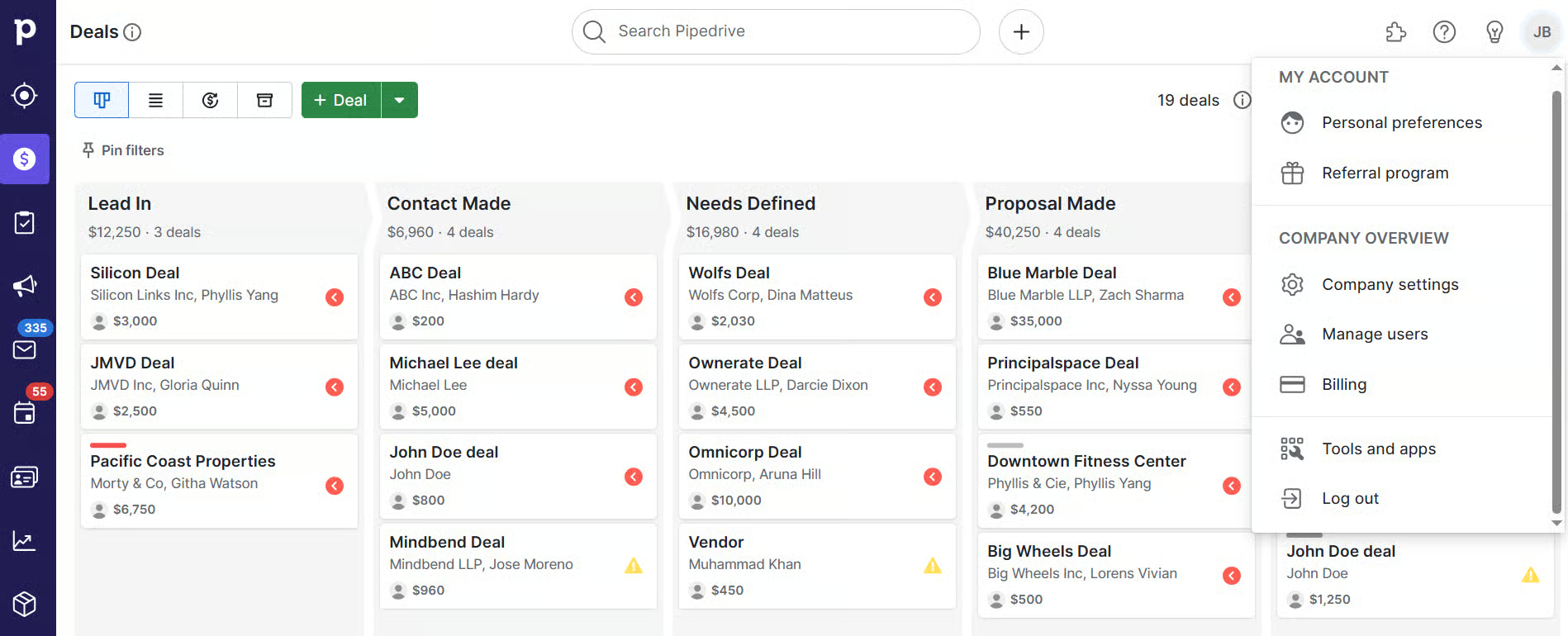
Keep your Pipedrive sales pipeline up to date
A pipeline is only useful when it's up-to-date. Opportunities that have stopped progressing should be closed as lost. Keeping deals stalled in intermediate stages distorts forecasts and also makes it difficult to set priorities. As such, a regular review of the pipeline helps keep the information reliable.
Adjust the pipeline based on actual usage
With continued use of Pipedrive, relevant data begins to emerge. This data shows where opportunities are progressing and where they are stalled. Based on this information, you can make simple adjustments. For example, merging stages, changing probabilities, or... adapt the pipeline Changes in the business process are necessary. These decisions should be based on real data, so avoid making changes based solely on intuition.
A clear sales pipeline facilitates sales management
Structuring correctly a sales pipeline in Pipedrive improves the organization of the sales team and facilitates the monitoring of opportunities.
A simple, clear pipeline aligned with the actual process makes CRM easier to use. Over time, this translates into more reliable data and better business control.
When properly configured and maintained, the Pipedrive CRM becomes a practical tool to support the daily management of sales. If you would like to try it or have any questions, talk to us.